

Track Your Native Bitcoin Deposit
After depositing native Bitcoin to Mezo, your funds typically appear within approximately 1.5 hours. Your deposit goes through several steps before it reaches your account:
- On-chain confirmation — Your Bitcoin transaction must be confirmed on the Bitcoin network (1–6 confirmations required, depending on the deposit amount).
- Bridge reveal — Once confirmed, the tBTC bot detects your deposit and reveals it to the tBTC bridge. This typically happens quickly, but in rare cases can take up to 5 hours.
- Minting on Ethereum — The tBTC bridge processes your deposit and mints tBTC on Ethereum. This usually takes about 1–1.5 hours.
- Bridging to Mezo — Once tBTC is minted, it is bridged to Mezo and BTC lands in your account. This takes approximately 15–20 minutes.
In rare edge cases, the process may take longer.
How to Check Your Deposit Status
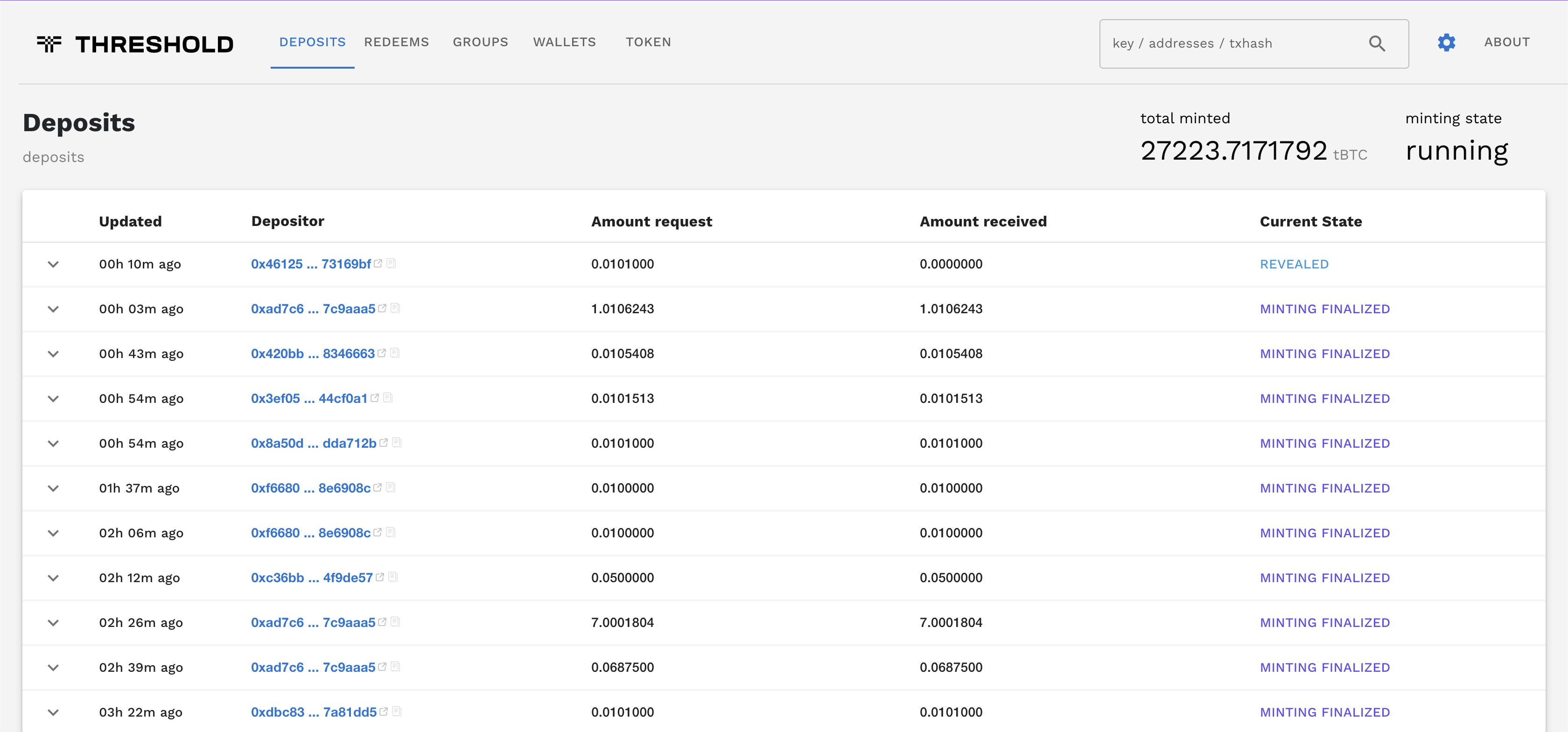
Section titled “How to Check Your Deposit Status”If your deposit hasn’t appeared on Mezo after 1 hour and 30 minutes, you can verify its status using tbtcscan, a third-party block explorer for tBTC bridge.
-
Locate your transaction ID – Find the Bitcoin transaction hash from your wallet or wallet history.
-
Visit the tBTCScan Deposits Tab – This third-party tool shows real-time bridge deposit data.
-
Search for your transaction – Enter your transaction hash in the search bar.
-
Check the status:
- No results → The deposit hasn’t been revealed to the bridge yet. This usually happens within 20 minutes of on-chain confirmation, but in rare cases can take up to 5 hours.
- MINTING IN PROGRESS → Your deposit has been revealed and tBTC is being minted on Ethereum. This typically takes about 1–1.5 hours.
- MINTING FINALIZED → tBTC has been minted on Ethereum. Your deposit should appear in your Mezo account within 15–20 minutes.

What If My Deposit Doesn’t Appear?
Section titled “What If My Deposit Doesn’t Appear?”If your deposit shows MINTING FINALIZED on tbtcscan but still hasn’t appeared in your Mezo account after 15 minutes, or if you see no results on tbtcscan after 5 hours, please contact support by opening a ticket in the Mezo Discord with:
- Your transaction hash
- Address of account you use to log in to Mezo (or your Mezo account ID)